Torzon Market Access Guide 2026 - Complete Tutorial
Step-by-step guide to safely access Torzon market. Learn how to download Tor Browser, verify mirror links, create account, enable 2FA, and make your first secure purchase.
Prepare Your Setup
Proper preparation is required for safe Torzon market access. This step focuses on setting up the correct tools and environment for anonymous browsing.
Download Tor Browser
Tor Browser is mandatory for accessing the market and all darknet markets. Only download from the official source: torproject.org. Fake Tor browsers contain malware designed to steal your information and compromise anonymity.
Navigate to torproject.org using your regular browser. Click the "Download Tor Browser" button. Select your operating system (Windows, macOS, or Linux). Wait for the download to complete and verify the download signature if possible for maximum security.
System Requirements
Torzon access through Tor Browser requires minimal system resources. Windows 7 or later, macOS 10.12 or later, or most Linux distributions work fine. You need at least 2GB RAM and 200MB free disk space. Internet connection speed isn't critical - Tor works even on slow connections, though browsing will be slower.
Operating System Recommendations
For maximum security, use Tails OS or Whonix instead of Windows or macOS. Tails is a live operating system that runs from USB and leaves no traces on your computer. Everything routes through Tor automatically. When you shut down, all data disappears.
Whonix is another excellent option, running in a virtual machine. All network connections route through Tor by default, making IP address leaks nearly impossible. Whonix separates work environment from network gateway for additional security layers.
Configure Tor Browser Security
After installing Tor Browser, configure security settings before accessing the market. Open Tor Browser and click the shield icon in the top-right corner. Select "Advanced Security Settings" and choose "Safest" security level. This disables JavaScript, some fonts, and other features that can compromise anonymity.
Never maximize Tor Browser window - keep it at default size. Unique window dimensions can fingerprint your browser and compromise anonymity. Never install browser extensions or plugins in Tor Browser. These can bypass Tor network and reveal your real IP address.
⚠️ Never Use Mobile Devices
While Tor Browser works on mobile phones, using mobile devices for darknet markets is extremely risky. Mobile devices leak unique identifiers even through Tor. Always use desktop or laptop computers for market access. Mobile access officially unsupported by Torzon for security reasons.
Get Torzon Links
Finding legitimate market mirror links is critical. Phishing market sites mimicking Torzon are common and designed to steal your market credentials and cryptocurrency.
Finding Official Links
Torzon official mirror links are available from trusted sources. The safest sources include Dread forum's official Torzon thread, verified mirror directories on the darknet, and legitimate information portals like this website. Never trust random forum posts or search engine results - these often lead to phishing sites.
This website provides current, verified Torzon mirror links on our links page. All links are tested and confirmed active. We update mirror status regularly to ensure users access legitimate Torzon mirrors.
PGP Verification
Always verify mirror links using PGP signatures before accessing. Torzon administrators sign all official mirror announcements with their PGP key. This verification proves the link comes from real Torzon team, not scammers.
To verify PGP signatures, first obtain Torzon's official PGP public key from trusted sources. Import the key into your GPG software. When you see a mirror link announcement, check for accompanying PGP signature. Verify the signature using GPG command: gpg --verify signature.asc announcement.txt. Only access links with valid signatures.
Avoid Phishing Sites
Phishing sites copy Torzon's design exactly to trick users. Warning signs include requests for withdrawal without 2FA, unusual login prompts asking for extra information, slightly different onion addresses with similar-looking characters, and missing security features like mandatory 2FA.
Always double-check onion addresses character by character before entering credentials. One character difference means a completely different site. Bookmark verified mirrors in Tor Browser and only access from bookmarks. Never click links from untrusted sources.
✓ Bookmark Verified Mirrors
After verifying Torzon mirror links, immediately bookmark them in Tor Browser. This prevents accidentally accessing phishing sites. Organize bookmarks in a dedicated folder for easy access. Regularly check mirror status to ensure bookmarked links remain active.
Create Torzon Account
Creating your market account correctly from the start is important for security and anonymity. Follow these market registration guidelines carefully.
Registration Process
Navigate to a verified Torzon mirror using Tor Browser. Look for the "Register" or "Sign Up" button, usually in the top navigation. Click to access the registration page. You'll need to provide a username, password, and solve a captcha to prove you're human.
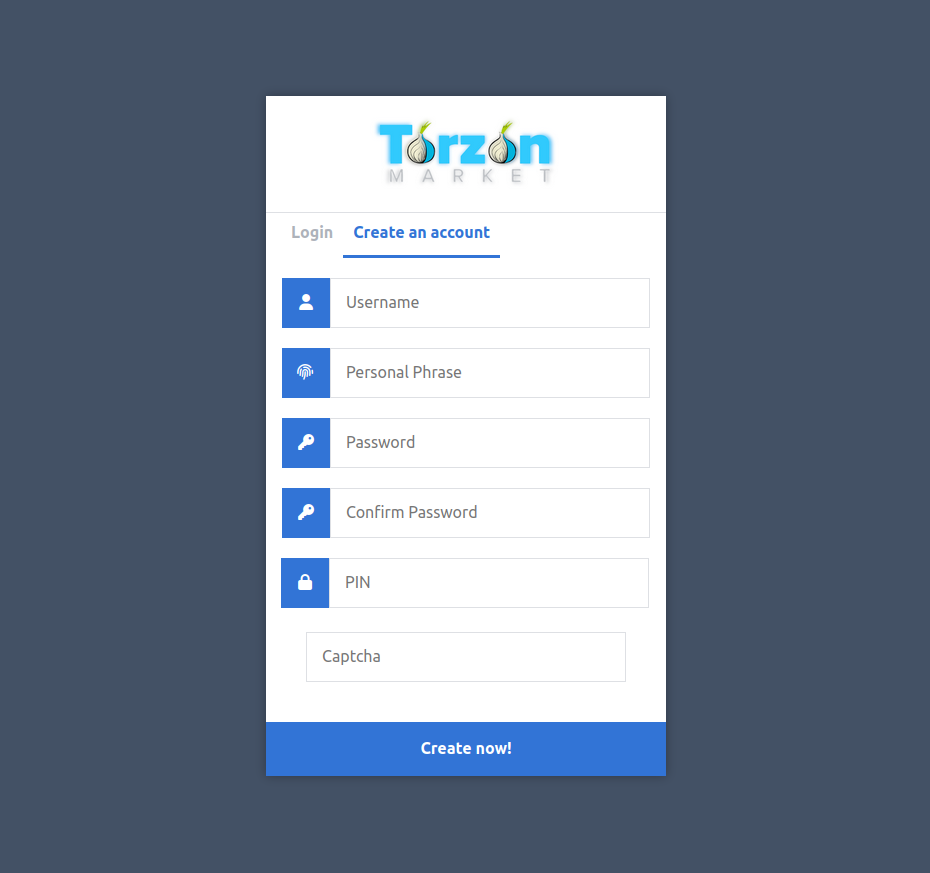
Torzon Market registration form interface
Username Selection
Choose a completely unique username not linked to any other accounts. Never use usernames from social media, gaming accounts, or other services. Create something random that doesn't identify you. Avoid personal information like birth years, names, or locations.
Good usernames are random combinations of letters and numbers with no personal meaning. Bad examples include usernames containing your real name, reused from other sites, location information, or birth dates. Remember: Torzon username becomes permanent after creation.
Strong Password Creation
Create a unique, strong password for Torzon. Never reuse passwords from other accounts. Use a password manager like KeePassXC to generate and store random passwords. Good passwords contain at least 16 characters mixing uppercase, lowercase, numbers, and symbols.
Write down your password and store it securely offline in case you lose access to your password manager. Remember that Torzon cannot help you recover lost passwords - the platform uses encryption that makes password recovery impossible.
Never Use Real Information
Never provide real name, email address, phone number, or any personally identifiable information during registration or ever on the market. The entire point of darknet markets is anonymity. Real information compromises your identity and security.
Some markets request email addresses for recovery purposes. If Torzon offers this option (optional), use a throwaway email created through Tor, never your real email address. Better yet, skip optional email registration entirely.
⚠️ Registration Bonds
Some markets require small cryptocurrency deposits during registration to prevent spam accounts. Torzon may implement vendor bonds ($300-$400 for vendors) but generally allows free buyer registration. Never pay registration fees to access market as buyer - this indicates a scam site.
Secure Your Account
Immediately after registration, configure security features before doing anything else on the market. These settings protect your account from unauthorized access.
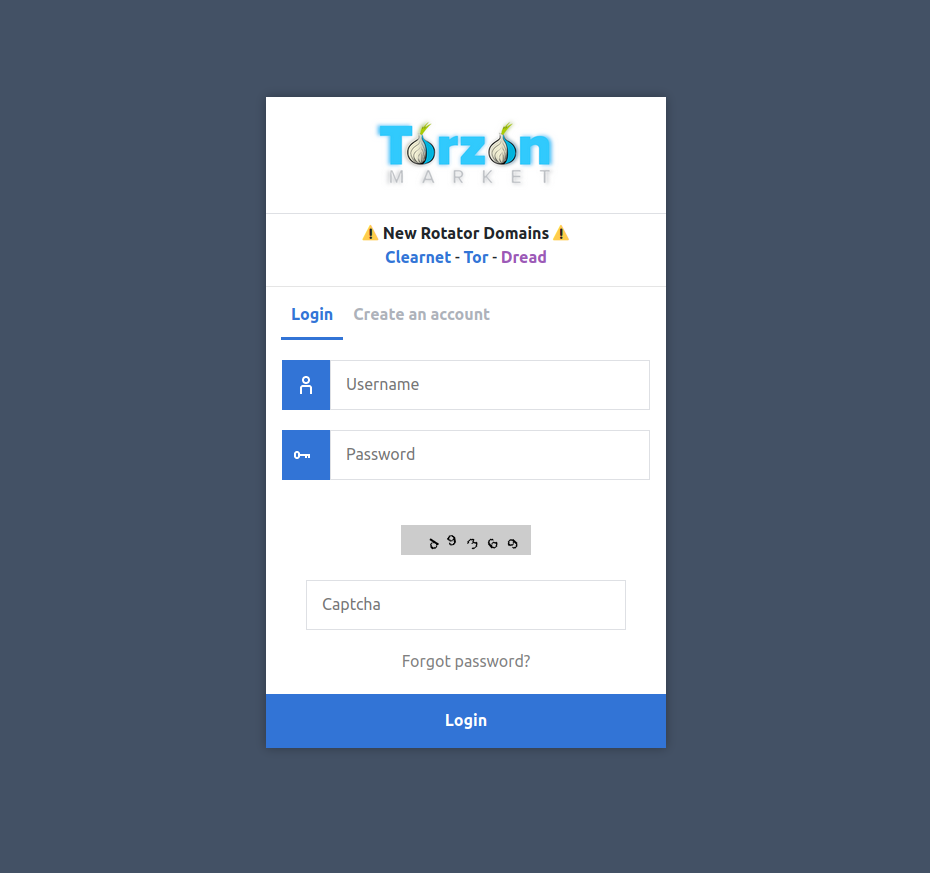
Login page with captcha verification
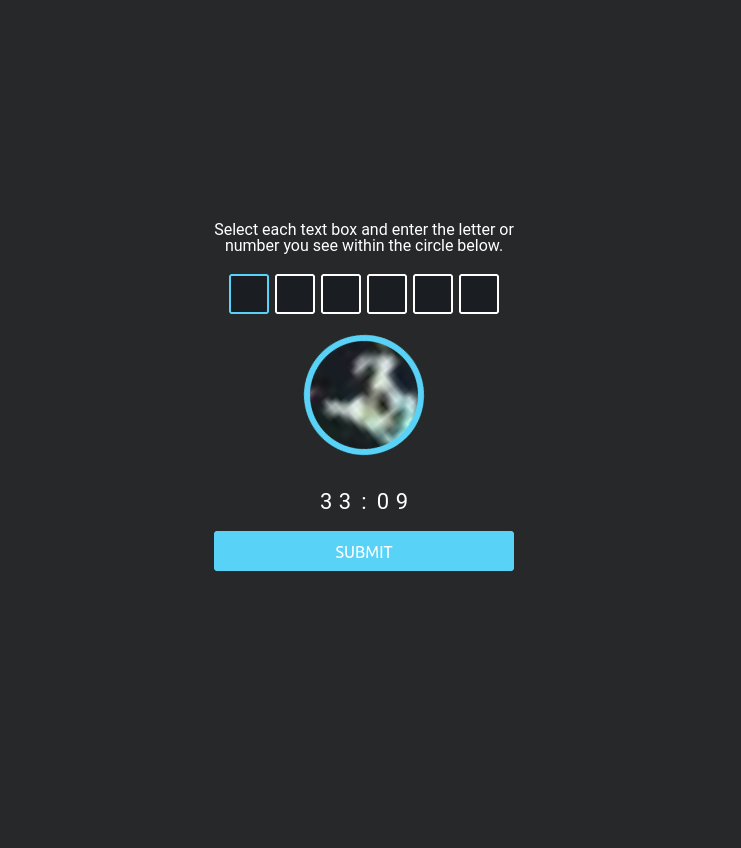
Captcha verification system
Enable Two-Factor Authentication
Navigate to account settings and find the 2FA or security section. Torzon offers three 2FA options: TOTP (Time-based One-Time Password), PGP-based 2FA, and hardware security keys. For most users, TOTP provides excellent security with good usability.
To enable TOTP, download an authenticator app on a separate device. Good options include Aegis (Android), Raivo OTP (iOS), or KeePassXC (desktop with TOTP support). Scan the QR code displayed by Torzon using your authenticator app. The app generates six-digit codes rotating every 30 seconds.
Torzon displays backup codes after enabling 2FA. Save these codes in a secure location separate from your device. If you lose access to your authenticator app, backup codes are your only recovery method. Without backup codes and 2FA device, you permanently lose account access.
Setup PGP Encryption
Generate a PGP key pair if you don't have one already. Install GnuPG software and use gpg --full-generate-key command. Choose RSA encryption with 4096-bit key length. Set a strong passphrase protecting your private key.
Export your public key using gpg --armor --export your@email.com command. Copy the entire output including BEGIN and END lines. Navigate to the market account settings and paste your public key in the PGP settings section. This allows vendors to encrypt sensitive messages only you can decrypt.
Test Your Security Settings
Before conducting any transactions, test your security configuration. Log out of Torzon completely and close Tor Browser. Restart Tor Browser and attempt logging back in. Verify 2FA works correctly. Send yourself a test encrypted message using your PGP key to confirm encryption works properly.
✓ Security Checklist
- 2FA enabled with backup codes saved offline
- PGP key generated and uploaded to account
- Private key backed up securely
- Strong unique password saved in password manager
- Account tested - can log in and decrypt messages
Start Using Torzon
With security properly configured, you're ready to explore Torzon market. Take time to familiarize yourself with the Torzon interface before making Torzon market purchases.
Navigate the Marketplace
The Torzon market features a clean, modern interface optimized for Tor browsing. The main market navigation includes product categories, search functionality, vendor listings, and your account dashboard. Spend time exploring market categories relevant to your interests. Read market rules and policies before transacting on the market.
Check the FAQ section for common questions. Review the escrow policy to understand buyer protection. Familiarize yourself with dispute resolution procedures. Understanding market rules prevents problems and ensures smooth transactions.
Search and Filters
Torzon offers advanced search with 10+ filter parameters. Search by product name, category, price range, vendor rating, shipping destination, and more. Use filters to narrow results to exactly what you need. Sort results by price, rating, or recent listings.
Choosing Vendors
Vendor selection is crucial for positive market experiences. Check market vendor ratings - look for high feedback scores (95%+ positive). Read recent market reviews from other buyers. Verify vendor account age on the market - established vendors with long market history are more reliable. Check vendor response time to market messages. Good market vendors respond quickly to questions.
Be wary of vendors with low feedback, recently created accounts, perfect ratings with very few reviews, significantly lower prices than competitors, or requests for finalize early (FE) with no established history.
Making Your First Market Purchase
Found a product and trustworthy market vendor? Read the market product description carefully. Check market shipping options and estimated delivery times. Note any special instructions from the vendor. Click "Buy" or "Add to Cart" to proceed to market checkout.
At checkout, select escrow payment (never finalize early on first purchases). Choose your cryptocurrency payment method - Monero provides better privacy than Bitcoin. Generate the payment address and amount. Send exact amount from your cryptocurrency wallet to the provided address.
After payment confirms (usually 10-30 minutes), vendor receives notification and processes your order. Check messages regularly for tracking information or vendor communications. Always encrypt sensitive information like addresses using vendor's PGP public key.
Never Finalize Early
Finalize Early (FE) means releasing escrow funds before receiving products. Only experienced vendors with excellent reputations should ever request FE. For first purchases and unfamiliar vendors, always use escrow protection. FE removes all buyer protection - if vendor doesn't deliver, you lose funds with no recourse.
When your order arrives and you verify product quality, return to the market and finalize the order. This releases escrow funds to the vendor. If problems occur, open a dispute before the auto-finalization deadline. Torzon mediators review evidence and make fair decisions.
⚠️ Shipping Address Security
Never use your real home address for market deliveries. Use drop addresses not connected to your identity. PO boxes work but require ID in most countries. Consider using addresses of abandoned properties, mail forwarding services, or trusted third parties who understand the risks. Always encrypt shipping addresses with vendor's PGP key before sending.
Additional Tips for Safe Usage
Following this guide provides a solid foundation for market access. These additional tips further improve your security and user experience.
Regular Security Maintenance
Change your Torzon password every 3-6 months. Regularly update Tor Browser to latest version for security patches. Periodically review account security settings. Clear Tor Browser data using "New Identity" feature regularly. Monitor your account for unauthorized activity.
Communication Best Practices
Always encrypt sensitive Torzon messages with PGP. Never share passwords, 2FA codes, or private keys with anyone including supposed Torzon support. Real Torzon staff never ask for this information. Keep Torzon conversations with vendors professional and brief. Don't discuss illegal activities in messages - stick to product questions and order details.
Cryptocurrency Best Practices
Never send cryptocurrency directly from exchanges to the market payment addresses. Exchanges monitor darknet-associated addresses. Use intermediate wallets for additional privacy. Monero provides better privacy than Bitcoin due to built-in anonymity features. Consider CoinJoin or mixing services for Bitcoin transactions.
What to Do If Problems Arise
If you suspect phishing or scam attempts, never provide credentials. Exit immediately and access the platform from your verified bookmark. Report suspicious activity to support through the encrypted ticket system. If order problems occur, contact the vendor first before opening disputes. Document everything with screenshots for potential disputes.
Understanding the Marketplace Ecosystem
Success on darknet marketplaces requires understanding the broader ecosystem beyond basic technical access. This knowledge helps new users navigate safely and effectively.
Vendor Selection and Due Diligence
Choosing reliable vendors is perhaps the most important decision buyers make. Review vendor profiles thoroughly before placing orders. Look for established accounts with substantial positive feedback spanning multiple months. Read recent reviews carefully - vendors can change over time. Check if vendors have verified presence on multiple platforms, as this indicates established reputation. Be wary of new vendors offering unusually low prices, as this is a common scam tactic. Established vendors may charge slightly more but provide significantly better reliability and product quality. Start with small orders to test new vendors before committing larger purchases.
Product Listings and Red Flags
Learning to evaluate product listings helps avoid scams and poor quality purchases. Professional listings include clear product descriptions, accurate photographs, and specific shipping information. Vague listings with stock photos or minimal details often indicate problematic sellers. Compare prices across similar listings - extreme outliers in either direction warrant caution. Low prices may indicate scams or poor quality, while excessive prices suggest inexperienced vendors. Look for vendors who respond promptly to pre-sale questions, as communication quality often predicts order experience.
Shipping and Delivery Considerations
Understanding shipping practices improves order success rates. Domestic orders generally arrive faster and more reliably than international shipments. Stealth packaging varies significantly between vendors - read reviews specifically mentioning packaging quality. Tracking availability depends on vendor practices and shipping methods. Some buyers prefer untracked shipping to avoid paper trails, while others value delivery confirmation. Discuss specific requirements with vendors before ordering. Realistic delivery expectations prevent unnecessary disputes - international orders may take several weeks depending on customs processing times.
Building Reputation as a Buyer
Your reputation affects vendor willingness to work with you. Always finalize orders promptly when products arrive as expected - vendors depend on timely finalization for cash flow. Leave honest, detailed feedback helping future buyers make informed decisions. Communicate professionally and concisely with vendors. Avoid demanding behavior or unrealistic expectations. Building positive buyer reputation may grant access to better deals, priority shipping, or vendor loyalty programs. Some vendors offer discounts to established buyers with proven finalization history.